We Tested the Same Idea in 5 AI Design Tools - The Results Were Far From the Same
11 minutes
AI design tools are changing the way we approach digital product development. But with so many platforms promising to turn ideas into polished products in minutes, it can be difficult to know which tool is best for what.
We decided to put five popular AI design and development tools to the test. Using the exact same prompt, we explored how Figma Make, Lovable, Google Stitch, Replit, and Relume approached the same challenge—and where each tool really stands out.
Here’s what we learned.
AI-powered design and development tools are evolving at an incredible pace. Every new platform promises the same thing: faster prototypes, polished interfaces, and the ability to turn an idea into a product in minutes.
But how different are these tools when they're given exactly the same task?
To find out, we tested five popular AI tools using the exact same prompt. Our goal wasn't to crown a winner—it was to understand where each tool adds the most value throughout the design and product development process.
The Test: One Prompt, Five Tools
To make the comparison as fair as possible, we used the same prompt in every tool:
Create a modern landing page for a UX/UI agency targeting decision-makers in medium-sized companies. The page should communicate trust, expertise, and measurable business value. Include a hero section, services, case studies, customer testimonials, and clear calls-to-action. Use a modern and professional design style.
We tested the prompt in:
- Figma Make
- Lovable
- Google Stitch
- Replit
- Relume
Each result was evaluated based on:
- Information architecture and page structure
- Visual quality
- Content and messaging
- Ability to iterate and refine
- How easily the output could move into a real production workflow
First Impressions: Every Tool Was Surprisingly Fast
The first thing that stood out was speed.
Within just a few minutes, every tool had generated:
- A complete landing page
- Structured page sections
- UI concepts
- Marketing copy
- Calls-to-action
If your goal is to move from a blank page to a first concept, today's AI tools are remarkably capable.
However, the differences became much more obvious once we started reviewing the outputs and pushing them beyond the first generation.
Tool-by-Tool Results
Relume
Relume approached the challenge more like a UX strategist than a visual design generator.
Instead of only producing a landing page, it also generated:
- A sitemap
- Information architecture
- Wireframes
- Content structure
The result felt less like a finished design and more like a solid UX foundation for a larger website.
Strengths
- Excellent information architecture
- Clear user journeys
- Strong foundation for larger web projects
Weaknesses
- Less visually polished than some competitors
- Still requires UI design work
Best suited for
UX design processes, website planning, and teams that prioritize structure before visuals.
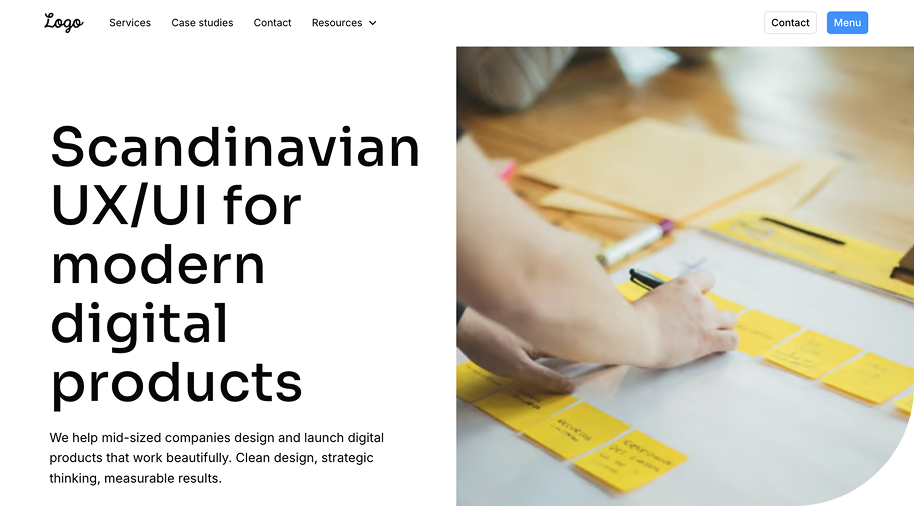
Lovable
Lovable delivered some of the strongest visual concepts right out of the box.
The layouts felt modern, polished, and presentation-ready with very little effort.
Strengths
- High-quality visual design
- Fast concept generation
- Strong understanding of modern web aesthetics
Weaknesses
- Content structure could become generic
- Messaging wasn't always aligned with business goals
- Less control over UX logic and hierarchy
Best suited for
Rapid concept development, MVPs, and visual exploration.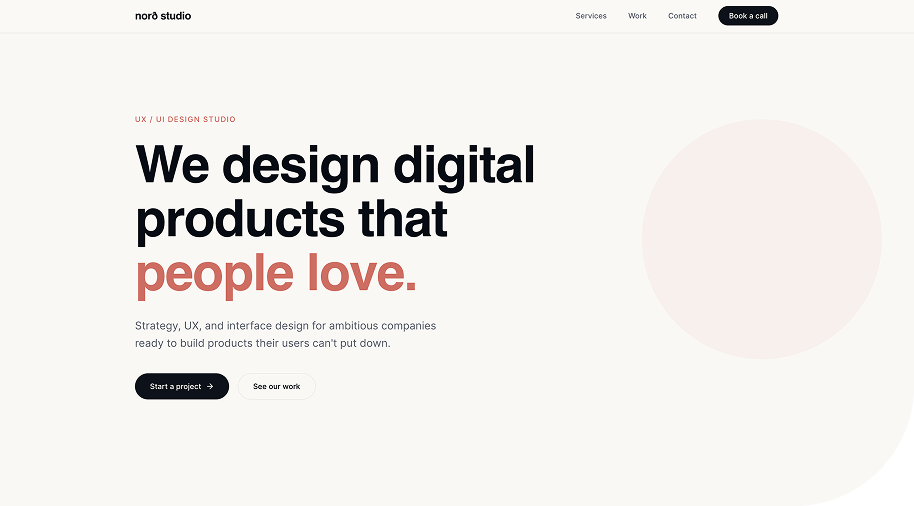
Figma Make
Figma Make felt like the most natural extension for designers already working inside the Figma ecosystem.
The generated interfaces were balanced and easy to continue refining.
Strengths
- Smooth integration into existing design workflows
- Useful UI suggestions
- Familiar environment for designers
Weaknesses
- Generic copywriting
- Required several iterations to create a unique result, becomes time-consuming.
Best suited for
Design teams are already using Figma as their primary design platform.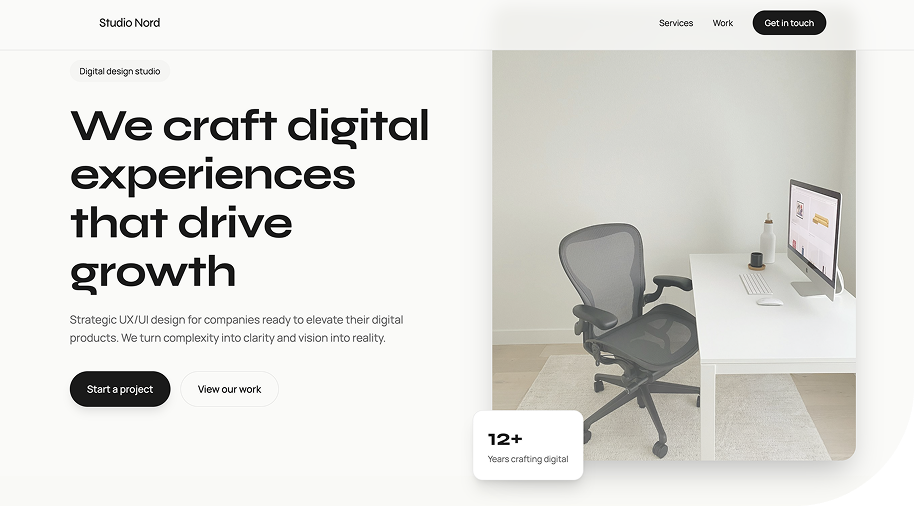
Replit
Replit took a noticeably different approach.
Rather than focusing primarily on visual design, it emphasised creating a working implementation.
Strengths
- Quickly generates functional code
- Great for technical prototyping
- Easy to continue development
Weaknesses
- Design quality varied
- Less focus on UX and content strategy
Best suited for
Developers who want to move rapidly from concept to working application.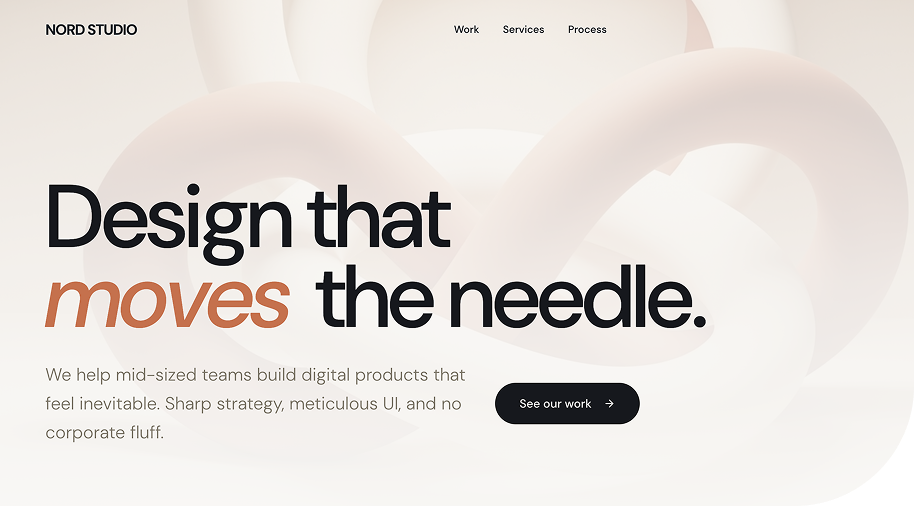
Google Stitch
Google Stitch focuses on exploration rather than generating a single solution. Its large canvas makes it easy to create, compare, and iterate on multiple design concepts.
It also suggests typography, color palettes, and visual styles, helping establish an early design direction.
Strengths
- Explore multiple design concepts
- Suggestions for typography, colours, and styling
- Easy to compare and iterate
Weaknesses
- Needs refinement before production
- Limited UX and interaction control
Best suited for
Early design exploration, workshops, and concept development.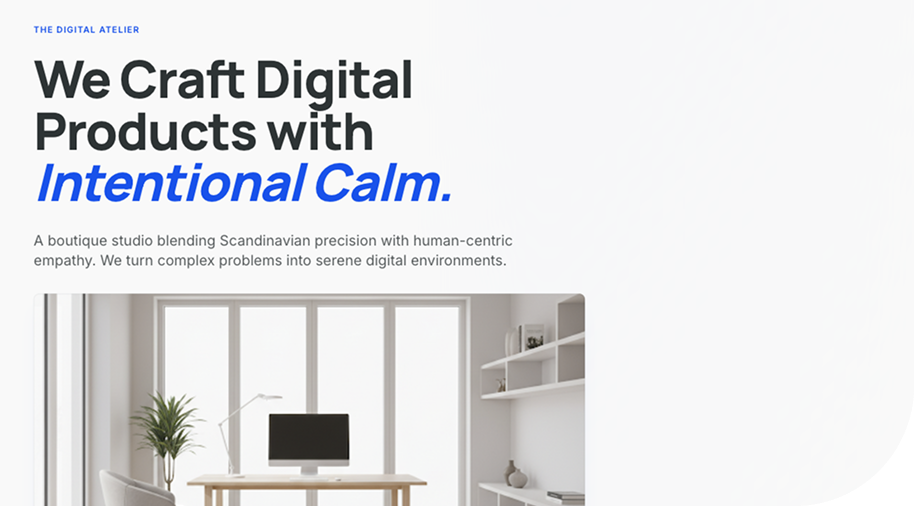
Where the AI Started to Break Down
Perhaps the most interesting part of the experiment wasn't what the tools did well—it was where they struggled.
Once we moved beyond the first draft, similar challenges appeared across almost every platform:
- Generic calls-to-action
- Weak business messaging
- Inconsistent component logic
- Spacing and hierarchy issues
- Copy that sounded plausible but lacked precision
What looked impressive at first glance often required significant refinement before it could support a real product or business objective.
Comparison at a Glance
| Tool | Strength | Weakness | Best For |
|---|---|---|---|
| Relume | UX strategy and information architecture | Requires additional UI design | UX processes and website planning |
| Lovable | Strong visual design | Less structural control | Concepts and MVPs |
| Figma Make | Fits naturally into design workflows | Generic copy | Figma-based design teams |
| Replit | Functional code generation | Weaker visual design | Developers and technical prototypes |
| Google Stitch | Fast ideation | Limited flexibility | Early concepts and experimentation |
The Biggest Takeaway
One thing became very clear throughout the test:
AI is exceptionally strong at the beginning of the design process.
Today's tools are excellent at:
- Generating ideas
- Exploring multiple directions
- Creating first drafts
- Accelerating concept development
However, they are still much weaker when it comes to:
- Business strategy
- Prioritization
- User behavior
- Product thinking
- Long-term consistency
Two people can use the same AI tool and achieve completely different outcomes depending on how well they understand the users, the business goals, and the problem they're trying to solve.
Final Thoughts
None of these tools replaces product designers or UX professionals.
Instead, they accelerate parts of the design process, allowing teams to spend less time creating first drafts and more time solving meaningful problems.
The real value emerges when AI is combined with human expertise in UX, product strategy, business thinking, and design. That's where concepts evolve into products that don't just look good—but actually perform in the real world.
Which AI tools should we test next?
We're continuing to explore how AI is changing digital product design and would love to hear which tools you'd like us to compare in our next experiment.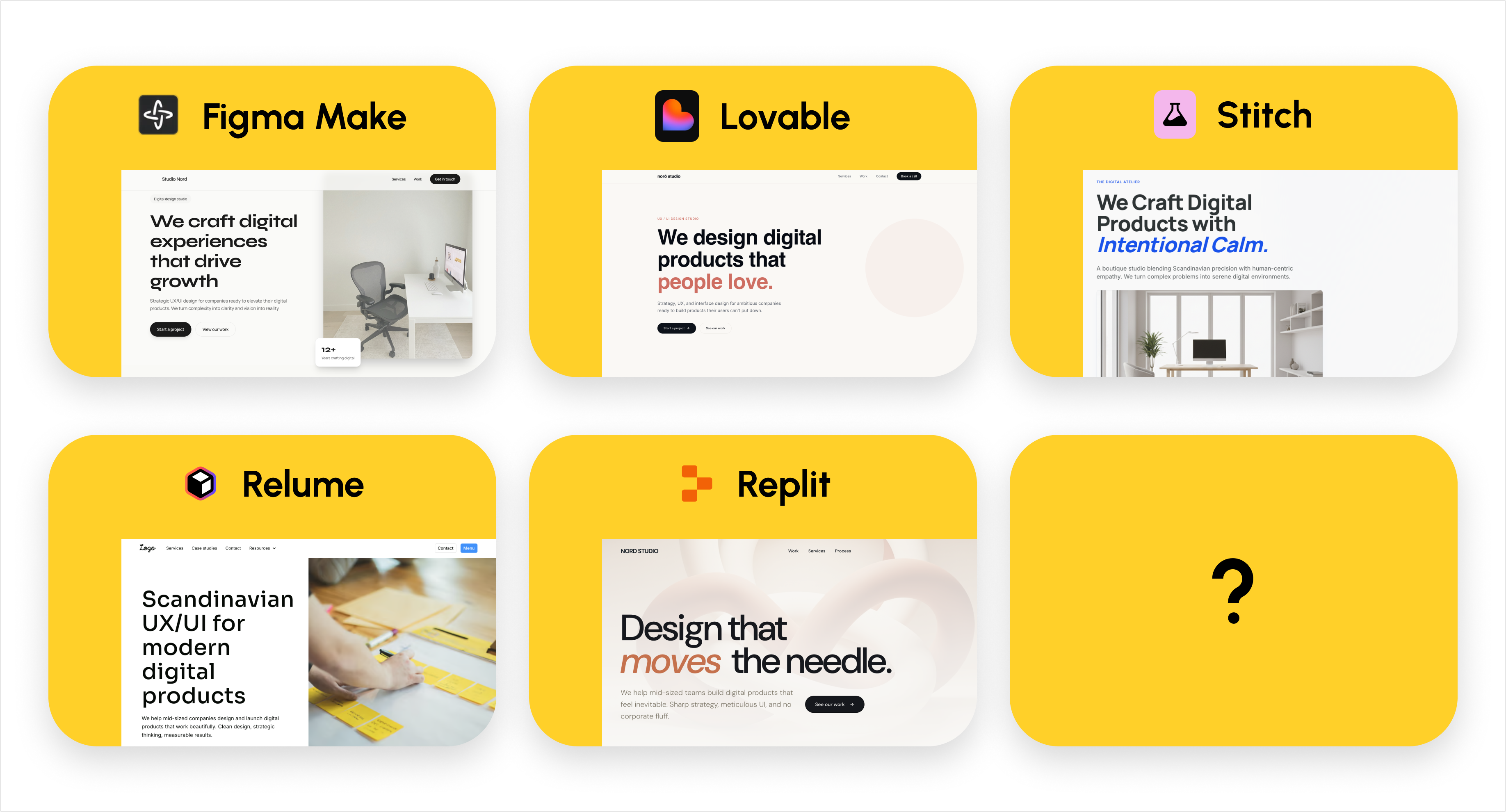

Frida Halvardsson
Frida is a UX designer at ted&gustaf. She combines creativity, human behavior, and technology to create smart and user-friendly solutions.